
Edge runtime and Explore features
Audience: Platform operators (global defaults) and tenant administrators (per-agent overrides)
Goal: Configure planner behavior, interpreters, and Explore experience flags.
Runtime settings apply in two layers:
- Platform defaults — set by platform operators under Agent Runtime → Edge runtime (
/agent-runtime/edge-runtime). These defaults apply to every tenant unless an agent has an override. - Per-agent overrides — set by tenant admins on Agents → <agent> → Runtime (
/agents/:agentId?tab=runtime). Only a subset of fields can be overridden; planner timeouts, context budget, workflow/chart settings, and Explore experience inherit platform defaults.
Platform defaults (platform admin)
- Clear tenant context with — No tenant — in the header switcher (optional but typical for global work).
- Open Agent Runtime → Edge runtime (
/agent-runtime/edge-runtime).
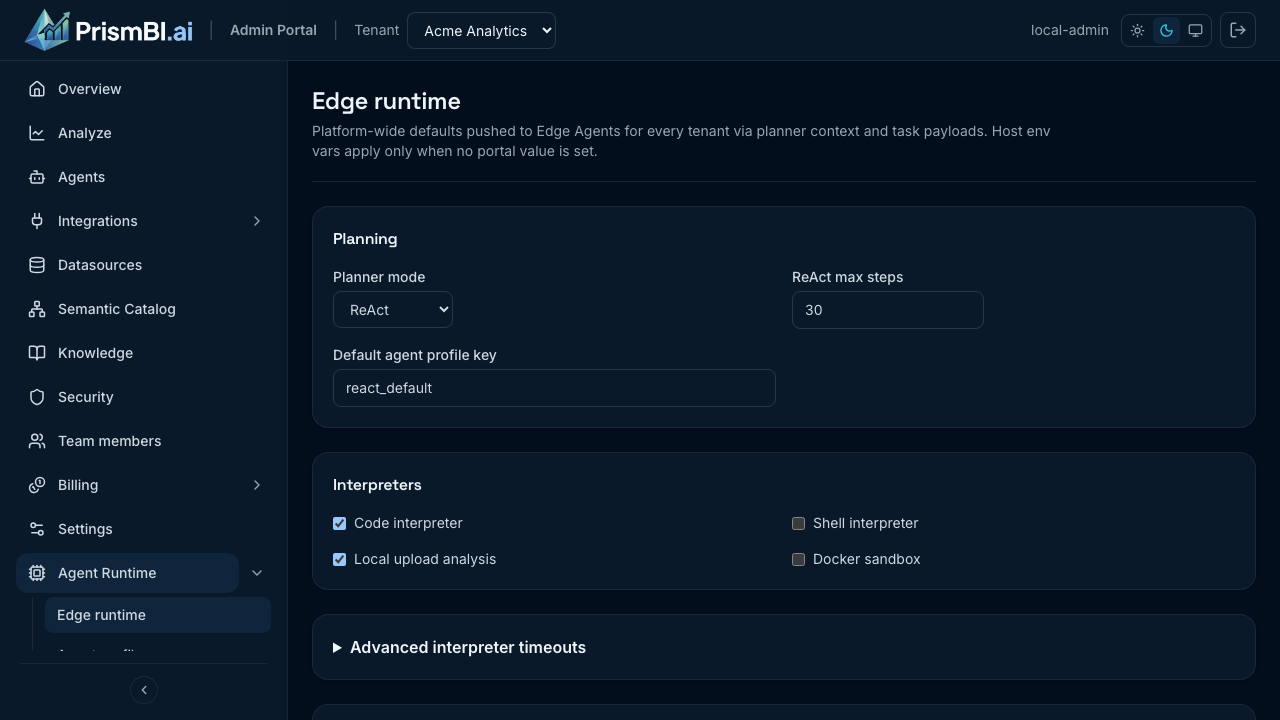
Figure: Platform-wide planner mode, interpreters, and Explore UX defaults.
| Area | Purpose |
|---|---|
| Planner mode | How agents plan multi-step analysis (ReAct and related modes) |
| Interpreters | Code, shell, and upload analysis capabilities |
| SQL row limit | Default cap on rows returned per query |
| Agent features | Web search toggle, Explore deliverables, debug traces |
Explore experience flags (platform)
- Show generated outputs — deliverables panel for intentional downloads in Explore.
- Debug traces — developer-oriented execution drawer (usually off for business users).
See Platform admin for tenant directory and system settings.
Per-agent overrides (tenant admin)
- Select your tenant in the header.
- Open Agents (
/agents) and choose an agent. - Open the Runtime tab.
Use overrides when one agent needs different diagnostics or feature toggles while keeping platform defaults for the rest of the fleet. Diagnostics (debugTracesEnabled) is the most common per-agent override.
Tips
- Keep debug traces disabled for production business users.
- Enable web search only when your security policy allows external retrieval (platform setting).
- Document platform defaults in your internal runbook after changes.
- Coordinate platform runtime changes with tenant admins before rolling out agent upgrades.
Troubleshooting
| Issue | What to try |
|---|---|
| Settings not applied | Confirm agent received config bundle; check Operations |
| Upload analysis disabled | Enable local upload analysis in platform edge runtime settings |
| Web search errors | Verify BI Core web search provider configuration |
| Tenant admin cannot open Edge runtime | Expected — global defaults are platform-admin only; use per-agent Runtime tab |