
Quickstart
Audience: Tenant administrators
Goal: Get your team asking questions in under 30 minutes.
This checklist covers the minimum path from sign-in to the first governed Explore query.
Prerequisites
- PrismBI Admin Portal URL (
https://app.prismbi.ai) and sign-in credentials (Cognito SSO or IT-provisioned access) - A host in your network that can run Docker and reach PrismBI cloud over outbound HTTPS
- Database connection details for at least one datasource (read-only credentials recommended)
Checklist
1. Sign in and select a tenant
- Open the Admin Portal and sign in.
- Select your organization from the Tenant switcher in the header.
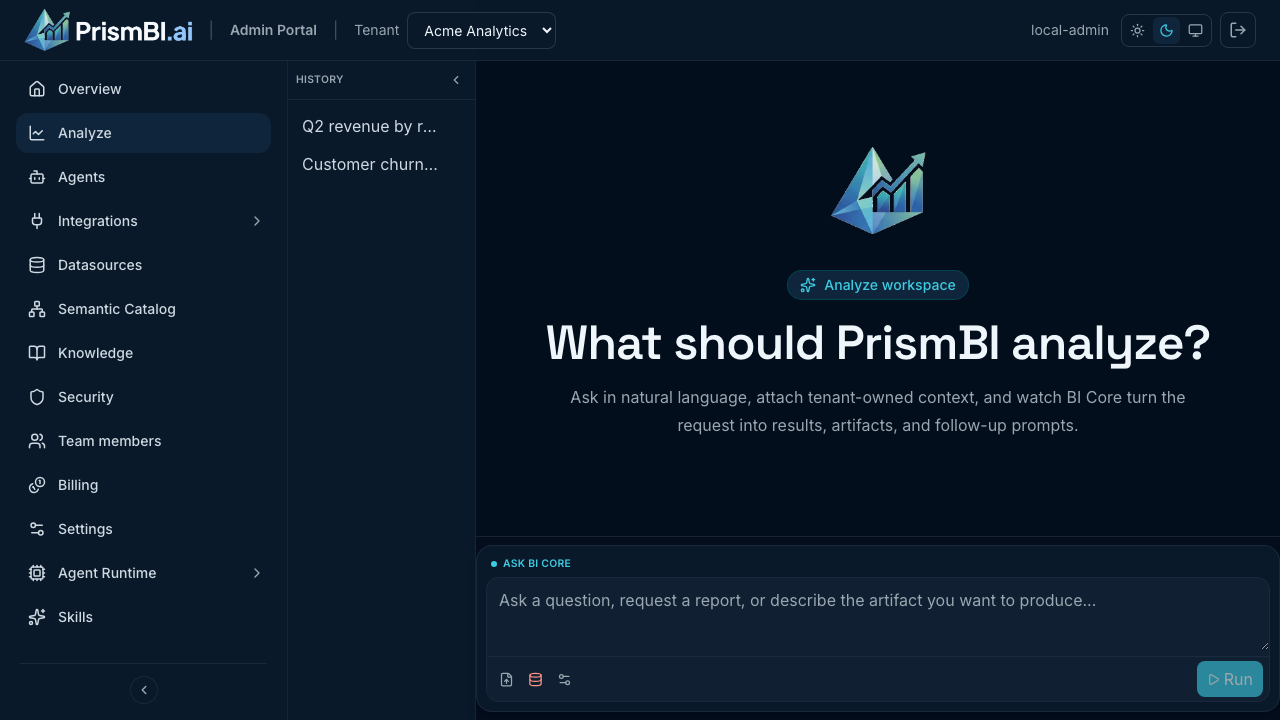
Figure: After sign-in, open Analyze from the sidebar.
2. Configure Edge Agent delivery
Choose how PrismBI cloud delivers work to agents in your network. See Agent configuration.
Polling (default path): deploy a long-running agent that pulls tasks from PrismBI cloud.
- Go to Agents (
/agents) and confirm Polling is the active delivery mode. - Enter an agent name (for example
production-warehouse) and leave Environment asproduction. - Click Generate bootstrap token and copy the
vbr_token immediately — it expires after about one hour. - On a machine in your network with Docker, pull the published agent image and start it with your token:
docker pull ghcr.io/voicebi/prismbi:0.1.0

# Agent bootstrap — replace the token placeholder with the value from the portal.
docker run -d --name prismbi-agent --restart unless-stopped \
  -p 8088:8088 \
  -e PRISM_CORE_URL=https://api.prismbi.ai \
  -e PRISM_AGENT_TOKEN="<bootstrap-token-from-portal>" \
  -e PRISM_AGENT_NAME=production-warehouse \
  -e PRISM_ENVIRONMENT=production \
  -e POSTGRES_USER=readonly \
  -e POSTGRES_PASSWORD='your-db-password' \
  -v prismbi-edge-state:/var/lib/voicebi-edge \
  ghcr.io/voicebi/prismbi:0.1.0
The POSTGRES_* lines are examples. In the Admin Portal datasource form you enter variable names only (for example POSTGRES_PASSWORD, not the secret). Pass the matching -e NAME=value pairs to docker run so the agent can resolve credentials when it runs connection tests and queries. Use the same names you configure on the datasource—see Datasources.
- Confirm the agent shows ONLINE on the Agents page with a recent heartbeat.
- Optional: check local health with
curl http://localhost:8088/health.
The portal also shows a one-line bootstrap command (PRISM_CORE_URL=… PRISM_AGENT_TOKEN=…) you can paste into your shell before starting the container. Pin the image tag (0.1.0) in production rather than using latest.
See Polling Edge agents for drivers, per-agent settings, and troubleshooting.
Webhook alternative: if you use serverless or scale-to-zero compute, switch to Webhook delivery and follow Webhook agents.
3. Connect a datasource
- Go to Datasources (
/datasources). - Create a connection. Enter environment variable names for database credentials (for example
POSTGRES_USER,POSTGRES_PASSWORD)—set the actual secret values on the Edge Agent host or container, not stored in PrismBI cloud. - Assign the datasource to your Edge Agent (or leave it shared if any agent in the tenant may serve it).
- Run Test connection and Discover schema.
See Datasources.
4. Invite a business user
- Go to Team members (
/team-members). - Invite a colleague with the MEMBER role for Explore-only access.
See Team and roles.
5. Run the first Analyze question
- Open Analyze (
/explore). - Select the datasource you configured.
- Ask a concrete question (for example, “How many rows are in the orders table?”).
- Confirm results appear in the session thread.
See Explore basics.
6. Connect Slack (optional)
Enable chat-based questions for your team:
- Open Integrations → Messaging (
/integrations/channels). - Click Connect Slack and approve the install.
- Set a default datasource and optional allowed channel IDs.
- Ask team members to link their accounts when prompted in Slack.
See Slack messaging and Slack for business users.
What’s next
| Task | Guide |
|---|---|
| Tune business definitions | Semantic catalog |
| Monitor agent health | Operations |
| Review connector options | Supported Databases |
| Enable Slack messaging | Slack messaging |
Troubleshooting
| Issue | What to try |
|---|---|
| No tenant in switcher | Contact your PrismBI operator to provision your organization |
| Agent stays offline | Verify outbound HTTPS to https://api.prismbi.ai, token validity, and agent logs (docker logs prismbi-agent) |
| Explore has no datasources | Complete schema discovery; confirm datasource status is READY |
| Bootstrap token expired | Create a new token on Agents (polling) or on the webhook receiver detail page (webhook), then redeploy with the fresh PRISM_AGENT_TOKEN |