
Credits and limits
Audience: All users
Goal: Understand billing credits and what happens when your allowance is exhausted.
How credits work
PrismBI meters usage through credits tied to your tenant’s subscription plan and billing cycle. Query execution, LLM tokens, and related activity consume credits according to your plan.
The Explore composer checks remaining credits before each submission. When credits are exhausted for the current cycle, new analyses are blocked until your administrator adds allowance or the next cycle starts.
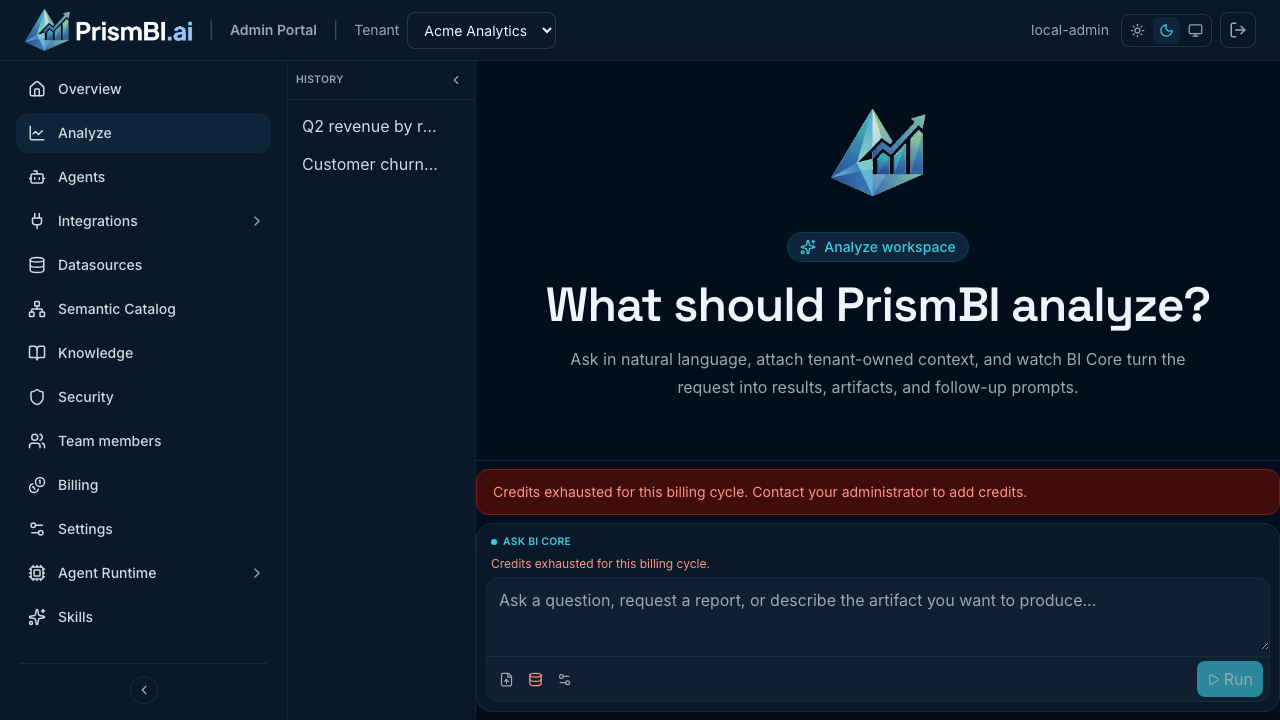
Figure: Credits exhausted message above the composer.
What you see in Explore
- A banner above the composer when credits are exhausted.
- Usage details (tokens, credits used) in the conversation header when recorded for a thread.
Row limits
Use Options in the composer to set a row limit for SQL results. Lower limits run faster and use fewer resources; very high limits may slow analysis or hit platform caps.
Tips
- Monitor usage toward month-end if your team runs many analyses.
- MEMBER users should contact a tenant ADMIN for credit top-ups.
- Tenant admins can review usage at Billing → Usage (
/billing/usage).
Troubleshooting
| Issue | What to try |
|---|---|
| Composer disabled, no message | Refresh the page; confirm tenant selection |
| Credits exhausted unexpectedly | Review Billing → Usage with an admin; check large batch analyses |
| Need more credits | Ask tenant admin or platform operator to adjust plan or allowance |