
Asking questions
Audience: All users
Goal: Get accurate answers through clear natural-language prompts and effective follow-ups.
Write a good first question
Strong prompts include:
- What you want to measure (revenue, churn, inventory)
- When (last quarter, YTD, specific date range)
- How to break it down (by region, product, customer segment)
- Any filters (active customers only, US operations)
Examples:
- “What was total revenue by sales region in Q2 2026?”
- “Show monthly active users for the mobile app since January 2026.”
- “Which top 10 products had the highest return rate last month?”
Submit a question
- Enter your prompt in the composer.
- Confirm datasource and options.
- Click Run.
While PrismBI plans and executes your analysis, an Agent activity card shows progress. You can continue reading prior turns in the session thread above the composer.
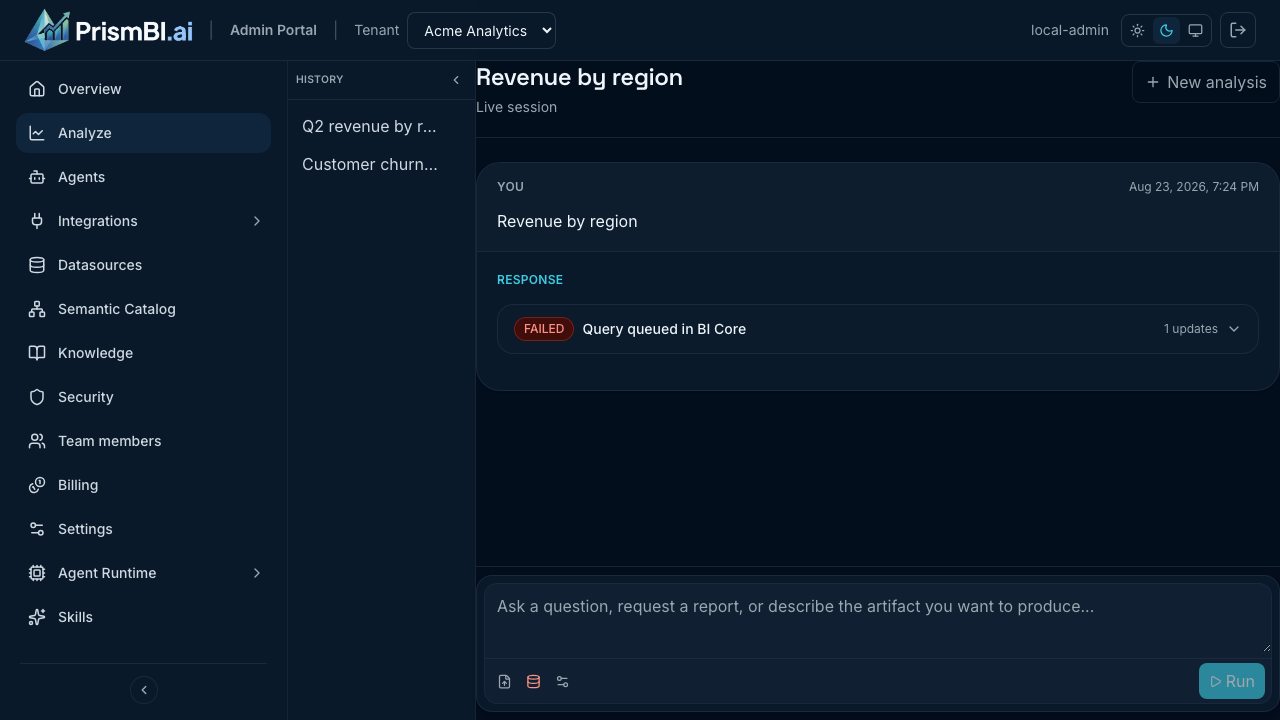
Figure: Agent activity while a query is running.
Clarification flows
PrismBI may ask for clarification before running SQL—especially when your question is ambiguous or spans multiple tables. Read the clarification message, answer in the composer, and click Run again.
Clarification is normal: it reduces wrong joins and improves governed execution.
Follow-up questions
After a turn completes, type a follow-up in the same session (for example, “Break that down by product category”). PrismBI keeps conversation context so you do not repeat setup.
Note: You cannot submit a new prompt while a query is QUEUED or RUNNING. Wait for the current analysis to finish or cancel it from the progress UI.
Tips
- Start broad, then narrow with follow-ups.
- Reference prior results explicitly (“same period, but for EMEA only”).
- For one-off file analysis, attach a file instead of picking a warehouse datasource—see File uploads.
Troubleshooting
| Issue | What to try |
|---|---|
| Unexpected empty result | Rephrase with explicit table or metric names; check datasource |
| Analysis takes a long time | Large row limits slow execution—lower the row limit in Options |
| Follow-up ignored context | Ensure you are in the same conversation, not New analysis |