
Operations
Audience: Tenant admin
Goal: Monitor agent health, tasks, and audit activity.
Operations dashboard
Open Operations (/operations).
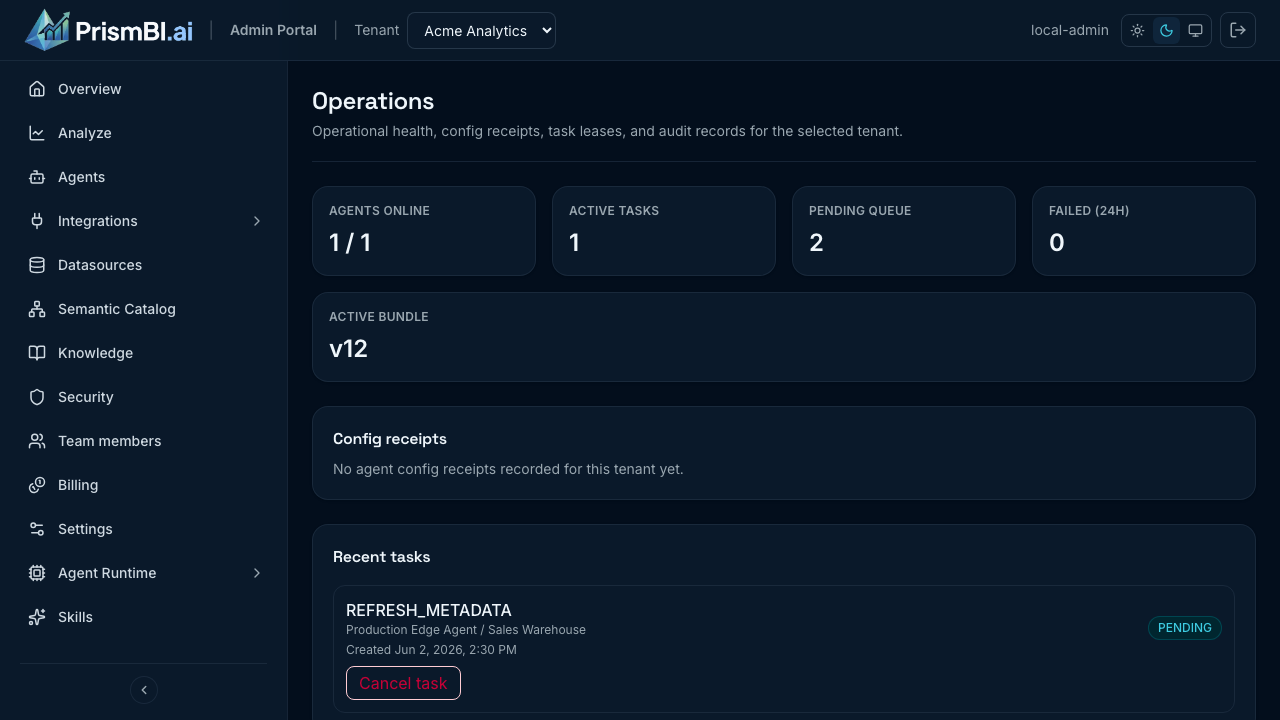
Figure: Agent health, task queue, and audit events.
Health summary
Review:
- Agents online vs offline
- Active and pending task counts
- Active configuration bundle version
Task list
Expand a task row to see redacted payload details and deep links to related Explore, workflow, or evaluation resources. Failed tasks expose Retry when safe.
Audit trail
Audit events record tenant actions (for example, datasource updates). Use them for compliance reviews and troubleshooting configuration drift.
Tips
- Check Operations after deploying new agents or runtime changes.
- Retry failed metadata refresh tasks before re-running schema discovery manually.
- Correlate task timestamps with Edge Agent logs for root cause.
Troubleshooting
| Issue | What to try |
|---|---|
| High pending count | Verify agents online; inspect failed tasks |
| Retry disabled | Task type may not support retry—consult support |
| Missing audit events | Confirm tenant context and time filters |