
Team and roles
Audience: Tenant admin
Goal: Invite users and assign ADMIN or MEMBER roles.
Roles
| Role | Access |
|---|---|
| ADMIN | Full tenant configuration plus Analyze |
| MEMBER | Analyze only (/explore in navigation) |
MEMBER users are redirected away from admin routes if they navigate directly.
For delegated access without full ADMIN, create custom security roles and assign them on Team members. Custom roles can grant Analyze with optional field-level restrictions, plus selected admin pages such as Team members, Security roles, and Integrations → Messaging.
Manage team members
- Open Team members (
/team-members). - Review active members and pending invites.
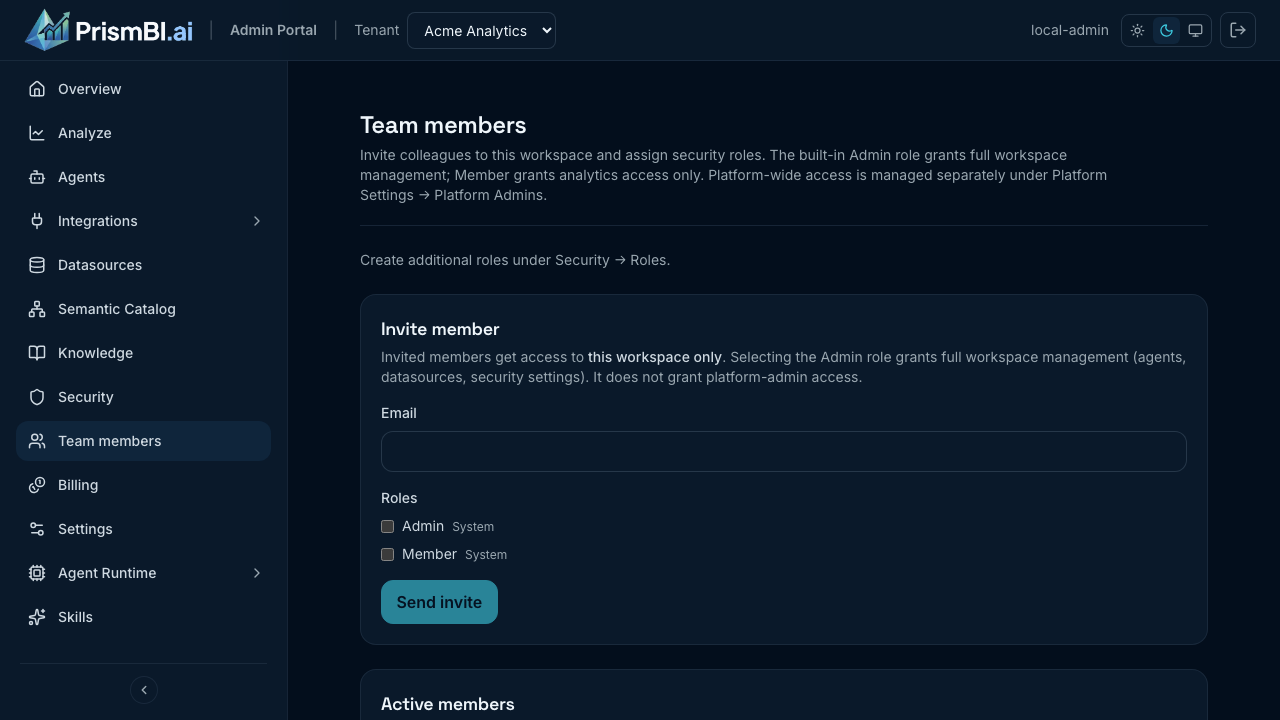
Figure: Invite colleagues and assign roles.
- Click Invite member, enter email, and choose ADMIN or MEMBER.
- The invitee completes registration through your identity flow.
Tips
- Grant MEMBER to business analysts and executives who only need Explore.
- Reserve ADMIN for data platform owners and IT delegates.
- Remove access promptly when someone leaves the organization.
Troubleshooting
| Issue | What to try |
|---|---|
| Invite not received | Check spam; verify Cognito/email configuration with IT |
| User sees wrong nav | Confirm role; MEMBERs only see Analyze |
| Cannot access Team members | Requires manage users on an assigned role, or built-in ADMIN |