
Datasources
Audience: Tenant admin
Goal: Connect governed databases and run schema discovery.
Create a datasource
- Open Datasources (
/datasources).
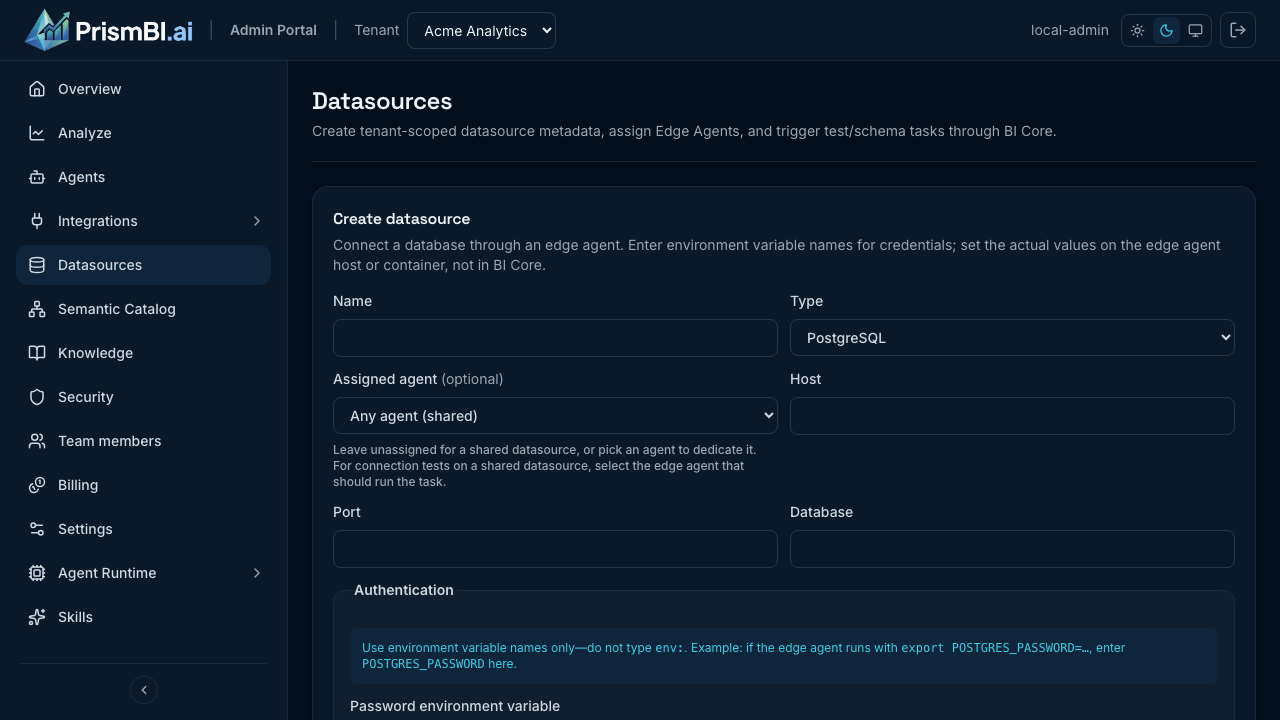
Figure: Tenant datasources and status.
- Click Create datasource.
- Choose database type (PostgreSQL, MySQL, Snowflake, SQL Server, and others—see Supported Databases).
- Enter connection settings. Credentials can be inline or
env:VARreferences resolved on the Edge Agent. - Assign an Edge Agent. SQLite, MySQL, and DuckDB drivers ship in the standard agent image; install others (with license acknowledgment) from the agent's Drivers tab.
- Save and run Test connection.
Schema discovery
After a successful test:
- Run Discover schema (or Generate profile report where available).
- Open the datasource detail page to review snapshots and tasks.
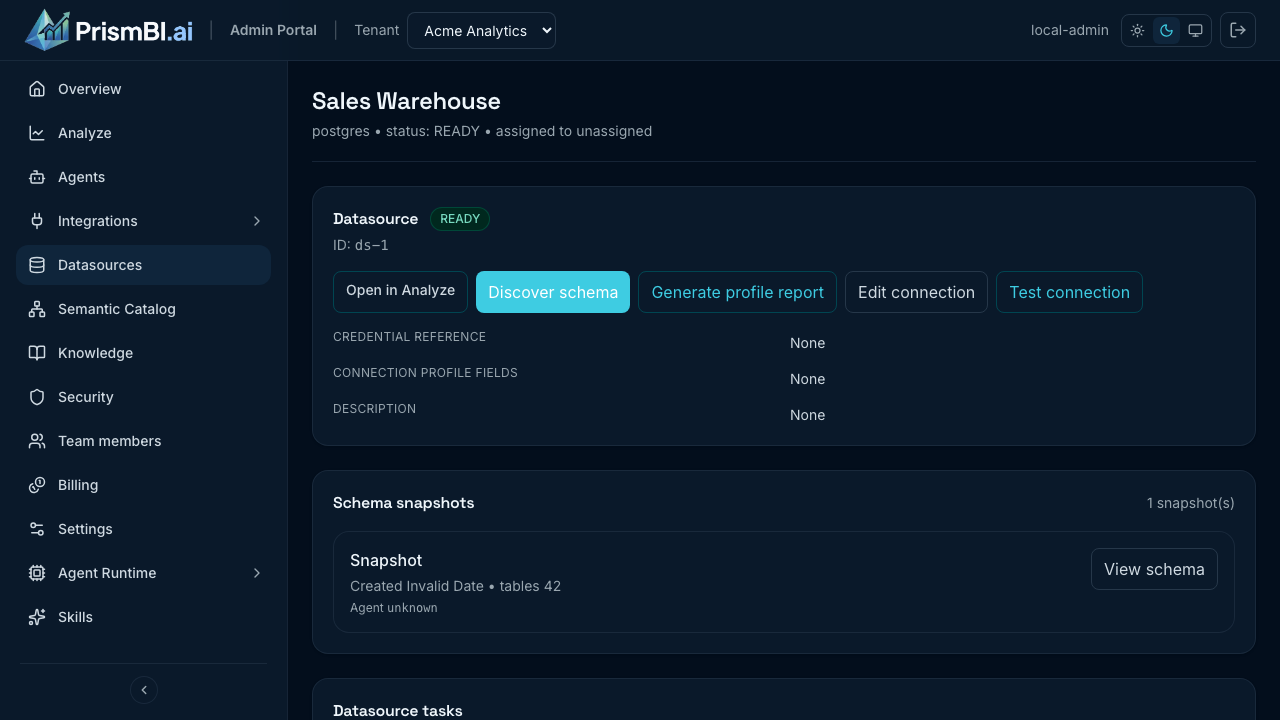
Figure: Connection detail, snapshots, and tasks.
- When status is READY, the datasource appears in Explore.
Authentication notes
- Passwords display as
[SET]on edit—leave blank to keep the current secret. - Databases (Explore) types are grouped for common analytics; advanced connectors appear separately.
Tips
- Use read-only database accounts for production warehouses.
- Re-run discovery after major schema changes.
- CSV/Excel ad-hoc analysis uses Explore file uploads, not datasource records.
Troubleshooting
| Issue | What to try |
|---|---|
| Test fails | Check the agent driver is installed, plus firewall and credentials on the edge |
| Stuck in pending | Open datasource tasks; retry from Operations |
| Not visible in Explore | Wait for READY status; refresh Explore |